Sonnox Oxford DeNoiser (Native)
-
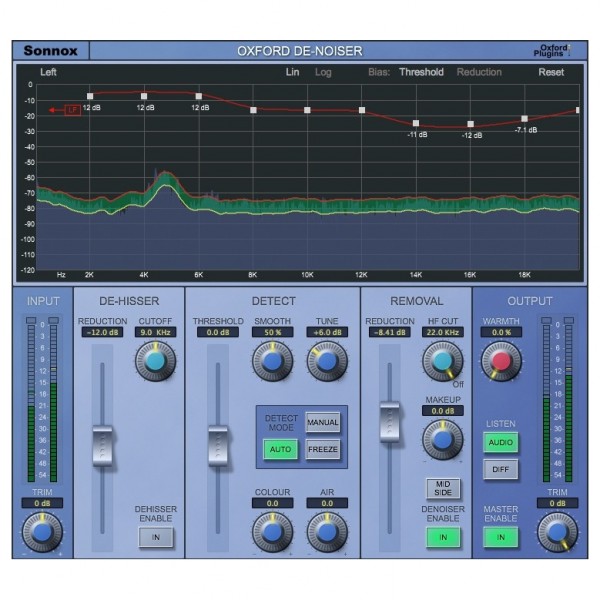
-

Playing videos requires marketing & advertising cookies. By pressing Play, you consent to their use, which will override previously rejected settings. To update your preferences, see our cookie policy.
-
Playing videos requires marketing & advertising cookies. By pressing Play, you consent to their use, which will override previously rejected settings. To update your preferences, see our cookie policy.
-
Playing videos requires marketing & advertising cookies. By pressing Play, you consent to their use, which will override previously rejected settings. To update your preferences, see our cookie policy.

Key Features
- Eliminate problematic noise to restore your audio tracks
- Ideal solution for broadcasting, film, TV, streaming or podcasting recording sessions
- Listen to only the isolated noise to ensure you are only affected unwanted interference
- Maintain your original audio's tone by injecting low and high-end via Air & Colour controls
- Reintroduce harmonically rich original signal for natural tone
Sonnox Oxford DeNoiser (Native) Overview

The Sonnox Oxford DeNoiser (Native) is an effective noise removal and audio cleaning plug-in. The ultimate solution for post-production and music production applications, the DeNoiser is ideal for removing unwanted background interference and noise from film sets, TV sets, podcasting, streaming and music recording studios. Using advanced algorithms that capture a 'noise profile' of your sound, DeNoiser can accurately remove noise components below the profile threshold whilst maintaining everything above it.
Complex analysis of your input signal creates a profile which can then be manually or automatically edited. Three independent sections combine DeHisser, detection and removal parameters to customise the response of DeNoiser to your input signal for clean and transparent noise reduction.
Ensuring that your audio remains undisturbed by excessive noise reduction, a Difference listening mode lets you hear in isolation the noise that is being removed. Additional Colour and Air parameters let you inject low and high-frequency content to your signal to compensate for any loss of tone as well as a Warmth control for adding back a harmonically rich blend of your original signal for a natural tone that vocals tracks require.
Product Ref: 228422
Full Description
View Full DescriptionBroadcast industry staple
A common problem when working with broadcast material in film, TV, radio, podcasting or even streaming is noisy dialogue. Interference from film sets, noisy background fans or HVAC units and other background noise can degrade the quality of your dialogue by introducing loud noise floors that distract from the dialogue. Often in these media formats, recordings can't be done in post-production due to limitations placed on the set recordings or by the fact they are meant to be recorded in one long continuous take for broadcast purposes.
The solution to restoring your damaged dialogue is the Oxford DeNoiser. An expertly-engineered plug-in that gives you complete control over your noise reduction through three independent sections of the plug-in. Taking a completely different approach than what would commonly be found in noise gate plug-ins, DeNoiser uses a unique noise profile algorithm threshold to detect the frequency response of the noise within your audio.
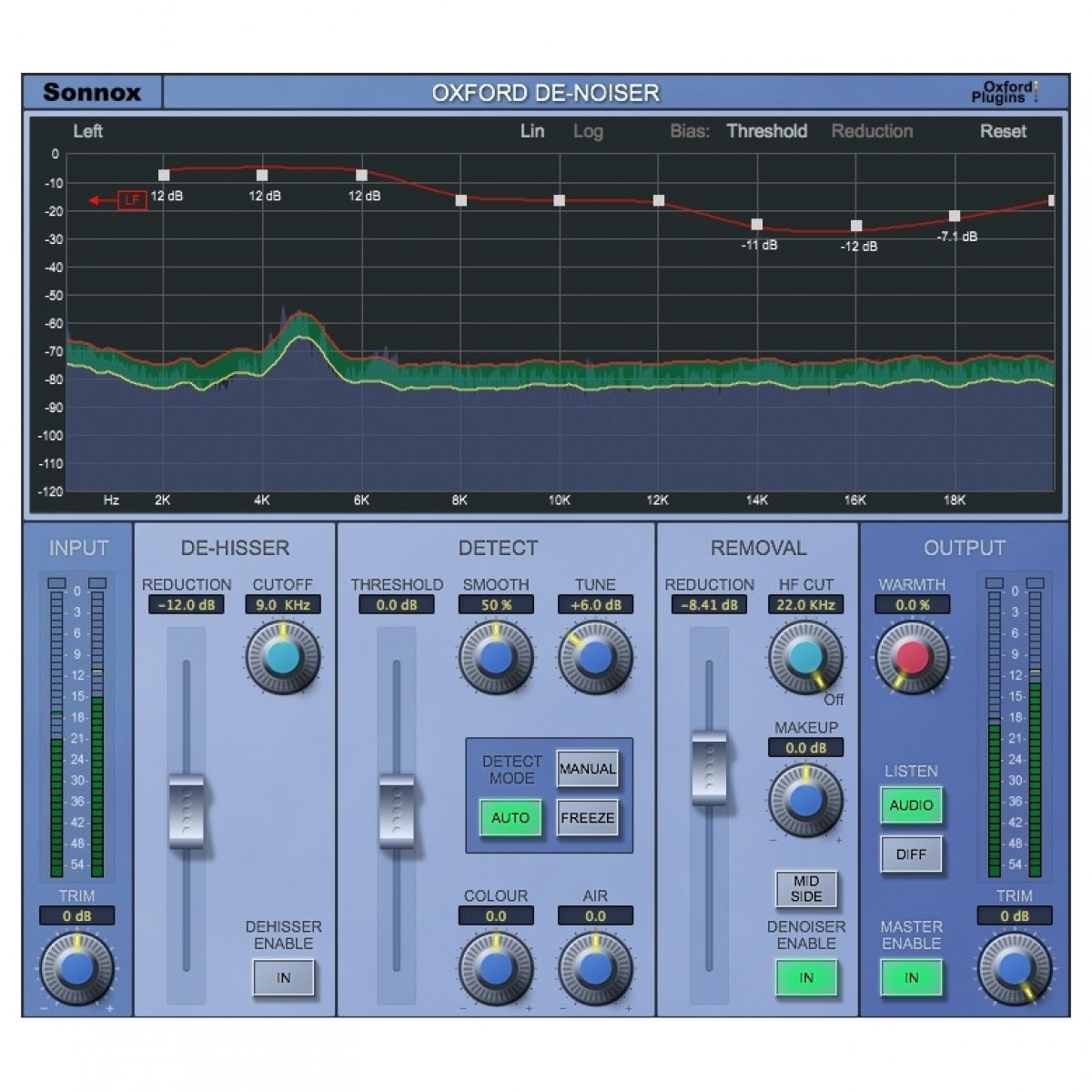
Sectioned into three individual component parts, the DeNoise plug-in gives you complete control over your background noise reduction processing. Presented in an intuitive interface with an ultra-high-resolution FFT spectral analyser, it's easier than ever to create clean and precise audio tracks for film, TV, radio or even in music production applications.
Precise detection
Offering three unique types of detection, the noise profile of your audio track can be analysed within DeNoise however way works best for your session. Defaulting to auto mode, DeNoise analyses the frequency spectrum of the noise, creating a general profile based on the consistent frequencies found within your track. In this mode, the threshold is relative to the general signal level and therefore noise removal will always be a fixed number of dBs below the actual signal.
Freeze Detect Mode provides a snapshot of the noise profile that has been captured in the Auto mode. Ideal for capturing only the profile of the noise in a section of audio with no dialogue, you can then craft the most appropriate noise reduction parameters and apply to the rest of your material. The advantage of Freeze mode is that the threshold is always set to remove the correct level of noise from the material, meaning that as the level of the programme material climbs, the noise removal is less destructive.
The last mode offered is Manual. Here, simple control over the noise profile is performed using the Colour and Air parameters, adjusting the low-frequency content and high-frequency content respectively.
Both Air and Colour parameters from the Manual mode are useful for effective restoration of your audio track post-noise-reduction. For audio sources with excessive low or high-frequency noise that is being removed within the plug-in, the Colour and Air controls enable you to imprint low-end and high-end back into your signal to restore the original tone of your audio.
Target unwanted hiss
Background noise can come in all forms with varying frequency content. The DeHisser section within DeNoiser allows you to aggressively remove upper-range hiss content from pink/white noise sources for a clean sound. Ideal for passages with no dialogue or high-frequency content, the DeHisser lets you target a specific range with a filter cutoff corresponding on the FFT display to show what range you are affecting.
Fine-tune with manual frequency manipulation
Additional manual control is afforded through the Bias Curve function of DeNoiser. Here, you can manually adjust the bias curve at different frequencies by dragging the frequency bands up or down, directly corresponding to the response of the Remove section. This method is ideal for musical noise that may bleed into a microphone recording where specific frequencies can be targetted depending on the notation of the background bleed.
Hear the difference
Common amongst all of the Oxford Restoration plug-ins, DeNoiser includes a comprehensive output section that does much more than simply offer an overall output level fader. Two listening modes, Audio and Diff allow you to monitor your processing to ensure you are not overly damaging your audio with noise reduction. Switching the Diff mode will let you hear in isolation the noise you are removing while switching back to audio lets you A/B against the original and affected audio. In addition, DeNoise is armed with the sweetening tool Warmth. Adding back some of the original signal with harmonic content and richness, Warmth lets you create a more natural tone if the noise reduced material lacks the tonal quality of the original.
Reviews
"Considering the appallingly tough test I gave it, the results were nothing short of impressive." - Paul White (Sound on Sound)
"It handled some of the toughest tasks I gave it - impressive indeed." - Garett Haines (Tape Op Magazine)
"A high-quality audio scalpel allowing you to excise what shouldn’t be there and leave what should." - Matt Vanacoro (Ask Audio)
Features
- Three distinct comprised of DeHiss, Detect and Remove offer in-depth analysis and processing
- Restore your damaged audio
- Ideal production tool for broadcasting, film and TV from noisy on-set recordings
- Advanced algorithms ensure high-level of performance and accuracy for noise reduction
- Clear, well-labelled interface offers quick and intuitive user experience
- Ultra-high resolution FFT display of noise profiles and input signal levels
- Freuqency Bias Curve fine-tunes noise and threshold levels based on manual frequency control
- Apply DeNoiser to only side content with Mid-Side mode
- Restore harmonic content with Warmth control
- Maintain volume levels with output make-up gain
- Three detection modes; automatic, freeze or manual
- Added DeHiss section aggressively removes high-frequency noise for smooth tone
- Inject low and high-end back into your signal to maintain the original tone via Colour and Air controls
- Dual audition modes including Listen mode to hear the isolated removed noise
Specifications
System requirements
- Operating system:
- MacOS: OS X 10.8 or later - M1 compatible using Rosetta 2
- Windows: Windows 7 or later
- Format:
- Mac: AAX, AAX-DSP, AU, VST2 & VST3
- Windows: AAX, AAX-DSP, VST2 & VST3
- Supported hosts:
- Mac: Pro Tools 10.3.8 – 12 (AAX Native & AAX DSP), Pro Tools 7 – 10 (TDM & RTAS), Logic Pro X 10.2, Logic 8 & 9, Digital Performer, Nuendo, Cubase, Ableton Live, Studio One
- Windows: 10.3.8 – 12 (AAX Native & AAX DSP), Pro Tools 7 – 10 (TDM & RTAS), Nuendo, Cubase, Ableton Live, Samplitude, Sequoia, Pyramix, Studio One
General
- Activation: iLok 2, iLok 3 USB key OR an iLok account with an active internet connection
- Product code: 1029-24
| Reviews of our service
View all